
AI spend management
for CFOs
A product design case study on helping finance teams track and control company spend on AI tools.
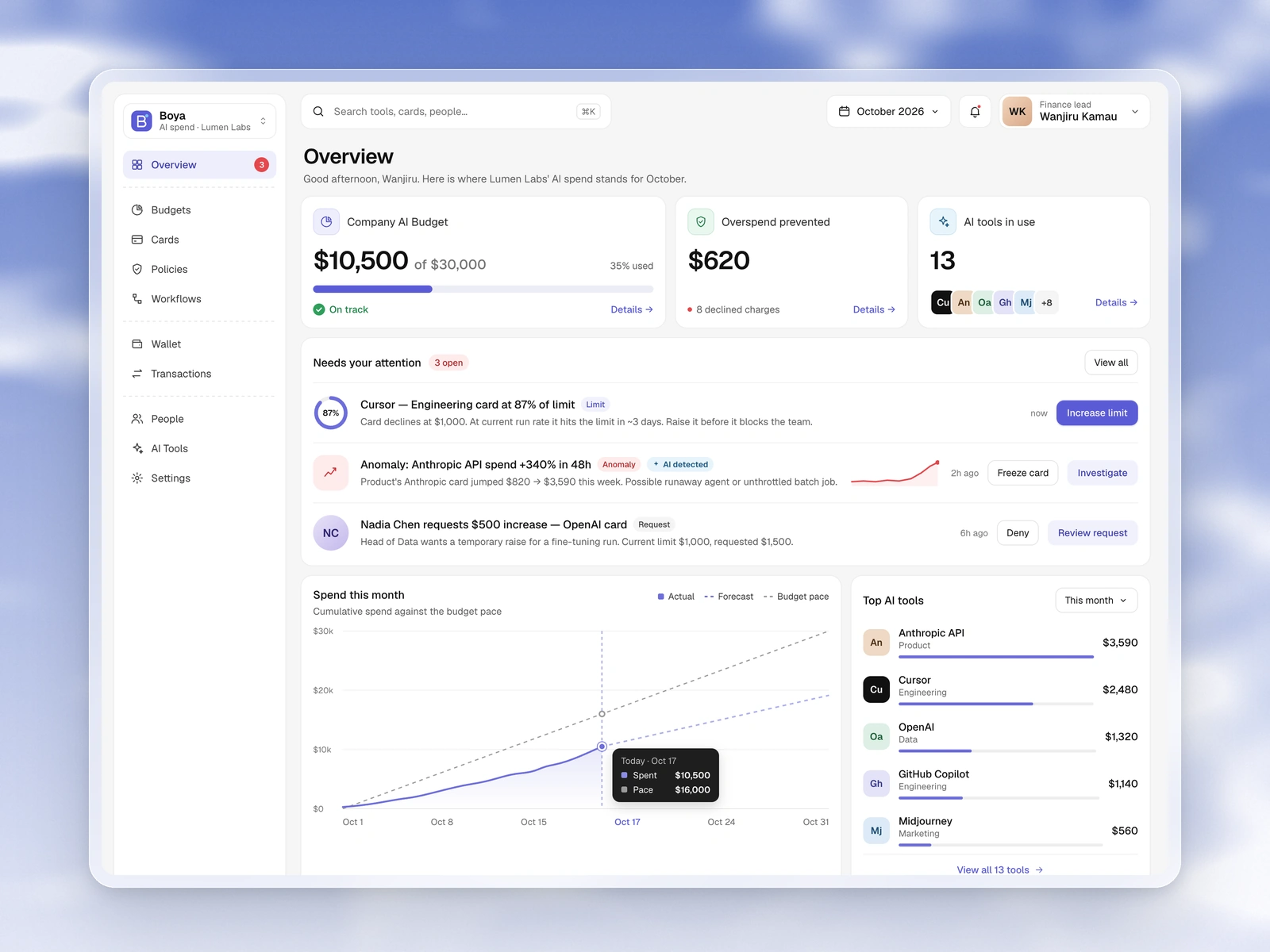
A product design case study on helping finance teams track and control company spend on AI tools.
AI billing is based on tokens, so usage and cost can spike before anyone notices. Teams often put tools on personal cards or shared logins, and finance only sees the damage later.
This product helps finance track usage, set budgets by department, and let team leads allocate those budgets. Cards are issued in the platform and linked to specific tools, so they are easy to manage or disable. AI also flags unusual high spend to the right people early.
I worked with the founders as product designer. They had a clear vision of the problem, but not yet a solution. We spent a lot of time iterating and brainstorming until the product found its shape.
I designed the main flows and screens, used AI to move faster in design, and learned to lock a design.md early after inconsistencies crept in.
This interface lets users see spend against budget, what needs attention, and which AI tools are driving cost.
Budget pace, attention list, and top tools.
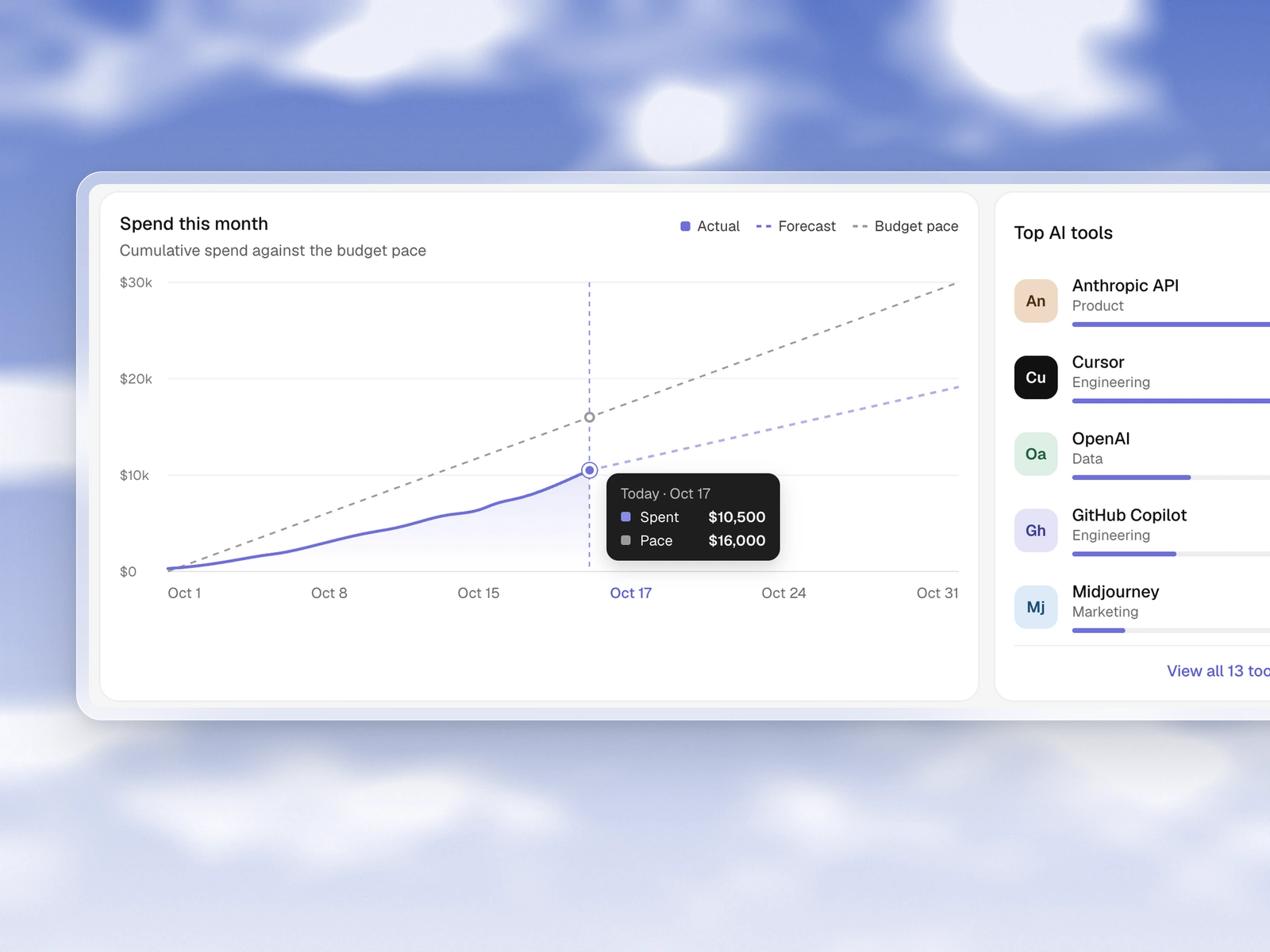
Actual, forecast, and budget in one view.
This interface lets CFOs set company and department ceilings, and lets team leads allocate what their people can spend.
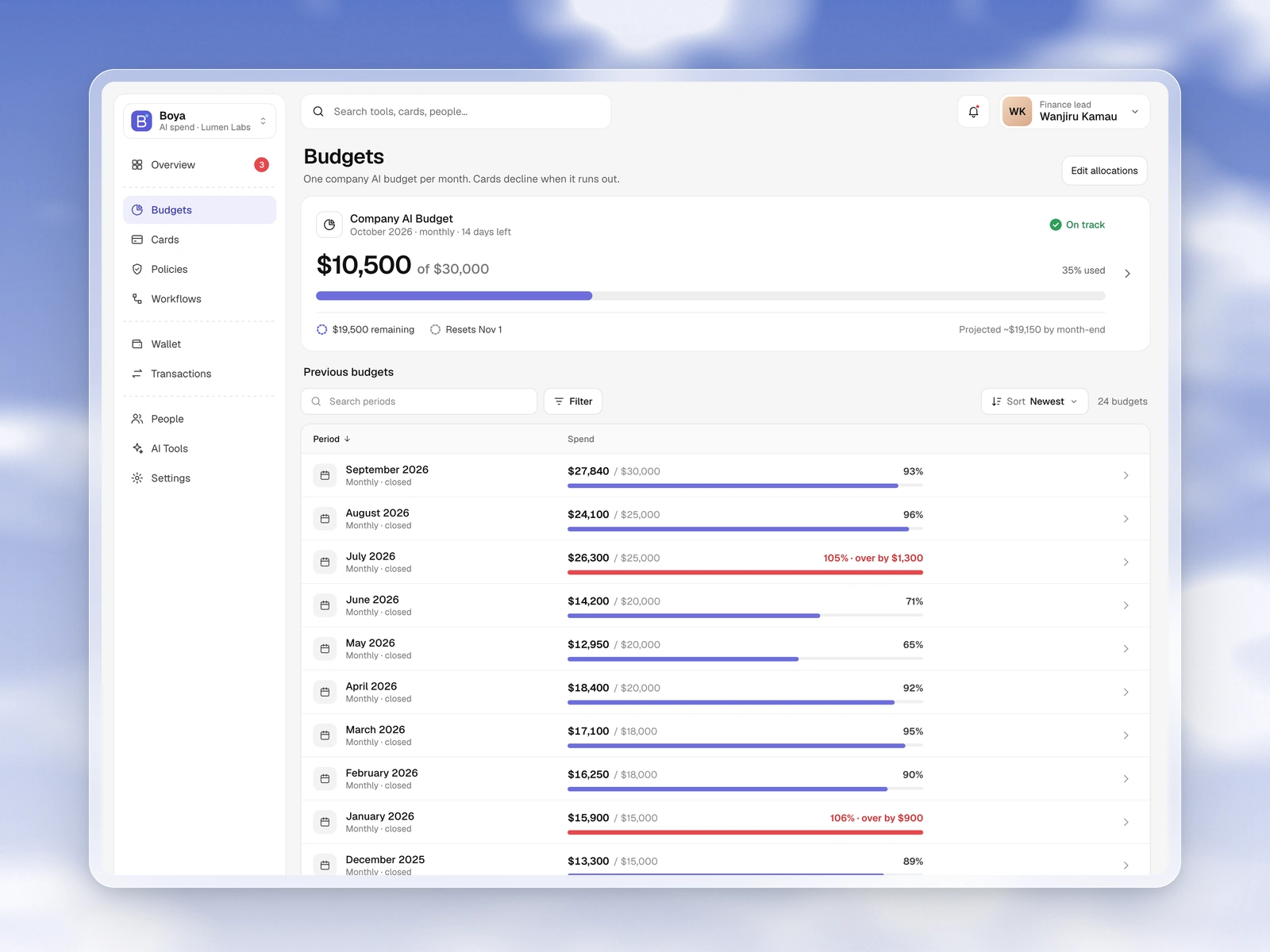
Current period and previous months in one place.
This interface lets users issue virtual cards linked to a specific AI tool, then manage, freeze, or disable them as needed.
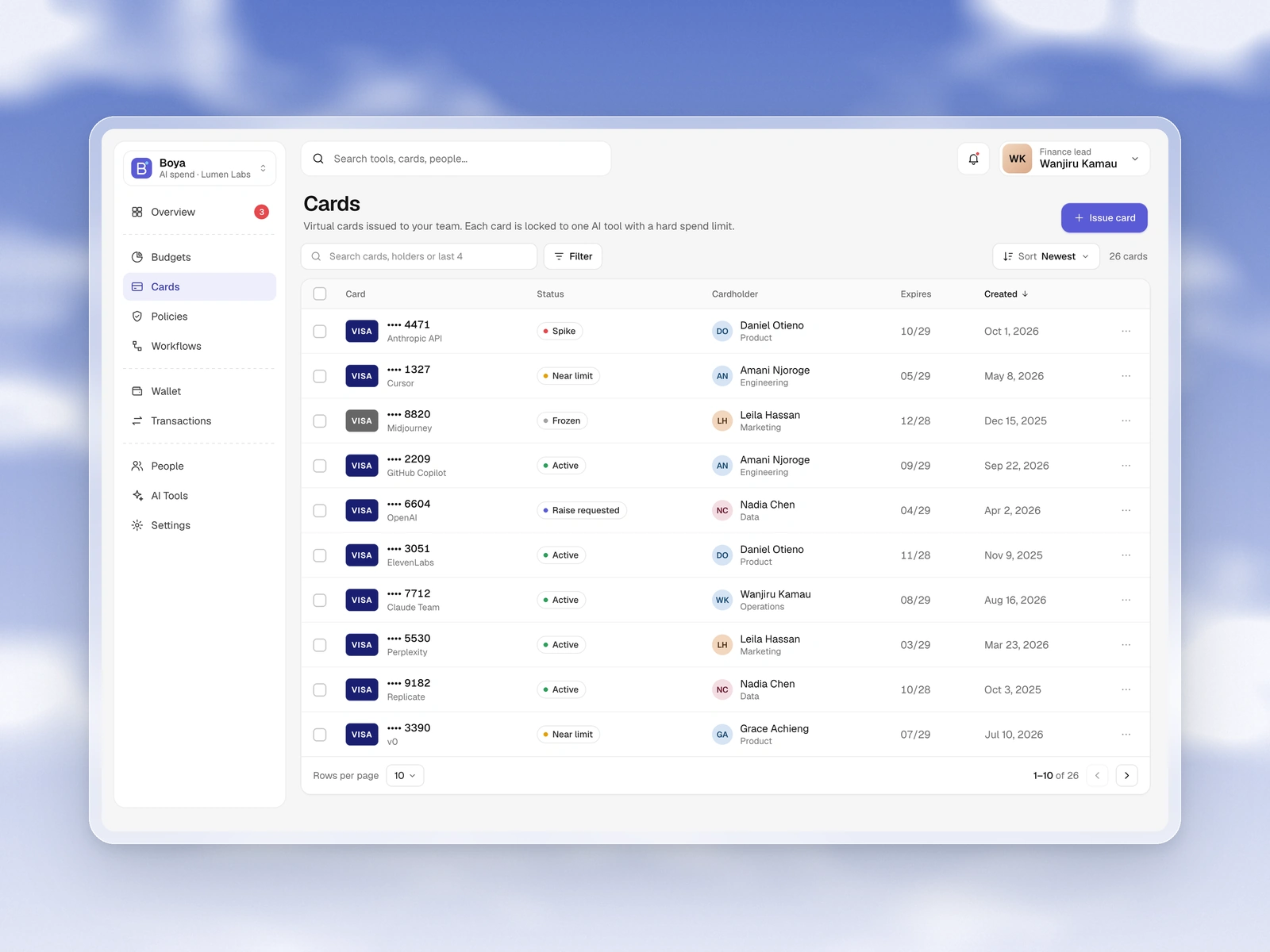
Tool-linked cards with status and cardholders.
These interfaces let users review charges and set rules for limit alerts, anomalies, and approvals.
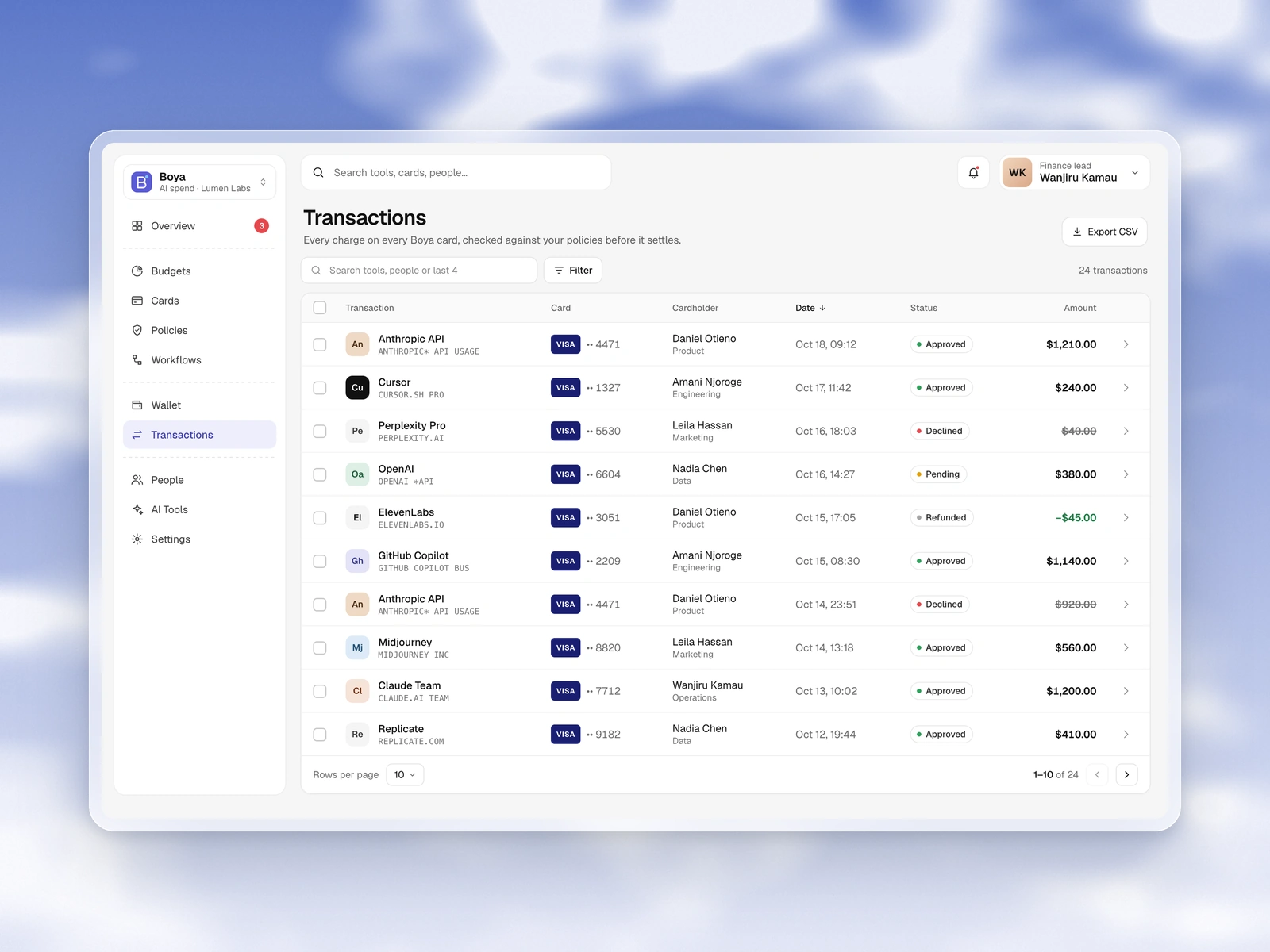
Approved, declined, and pending charges.
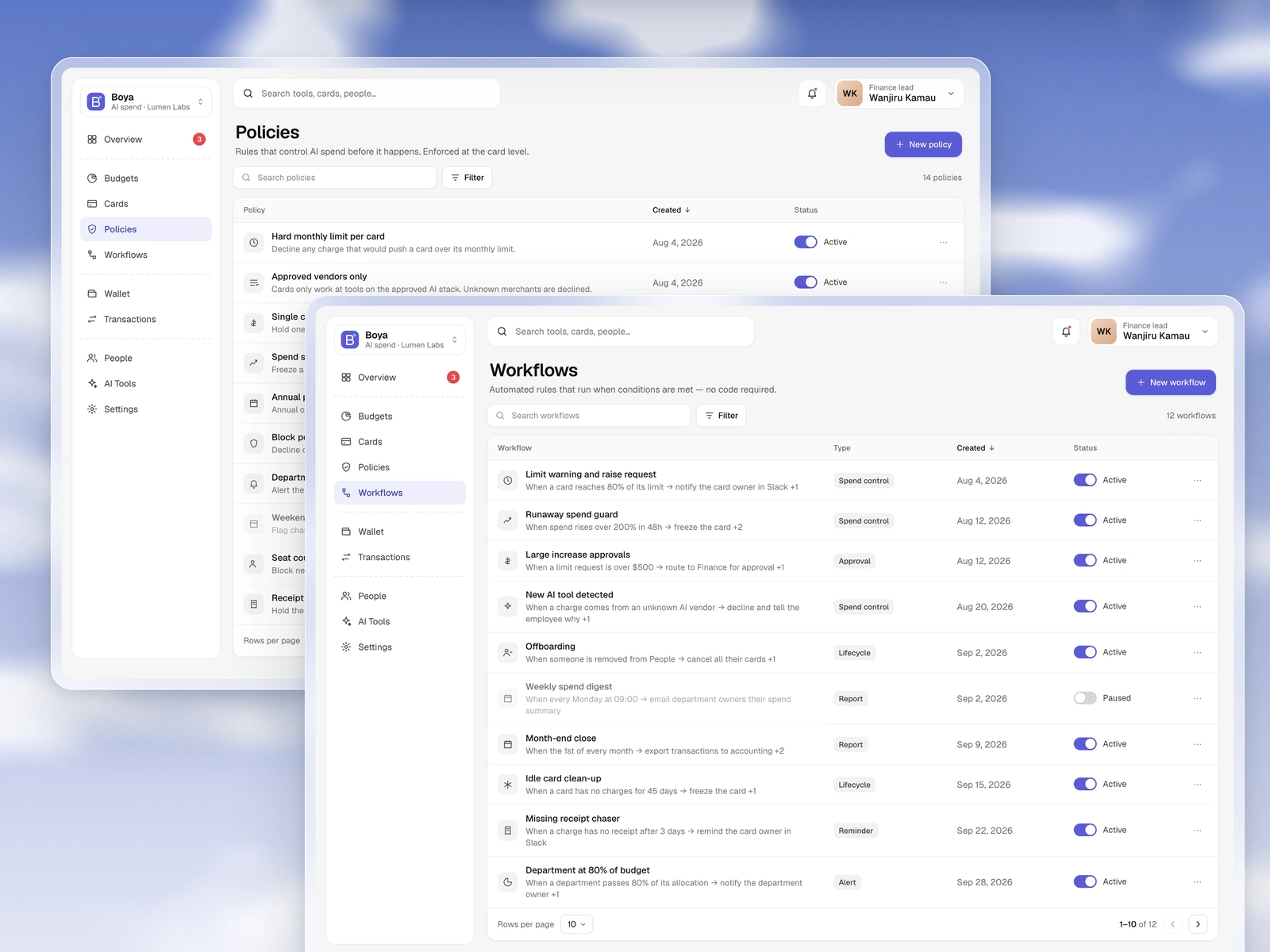
Policies for alerts, freezes, and approvals.
The founders knew the pain clearly. What the product should be was still open. My job was to turn that vision into flows and screens through a lot of iteration.
When the vision is clear but the solution is not, the work is living in brainstorms and prototypes until the product finds its shape.
I used AI to move faster on screens. Speed helped, but only when the system underneath was clear.
Early inconsistency taught me to lock patterns soon. That habit has made later projects cleaner.