
Humanity Hub
for the UN
A product design case study on AI decision support for UN agencies in Somalia.
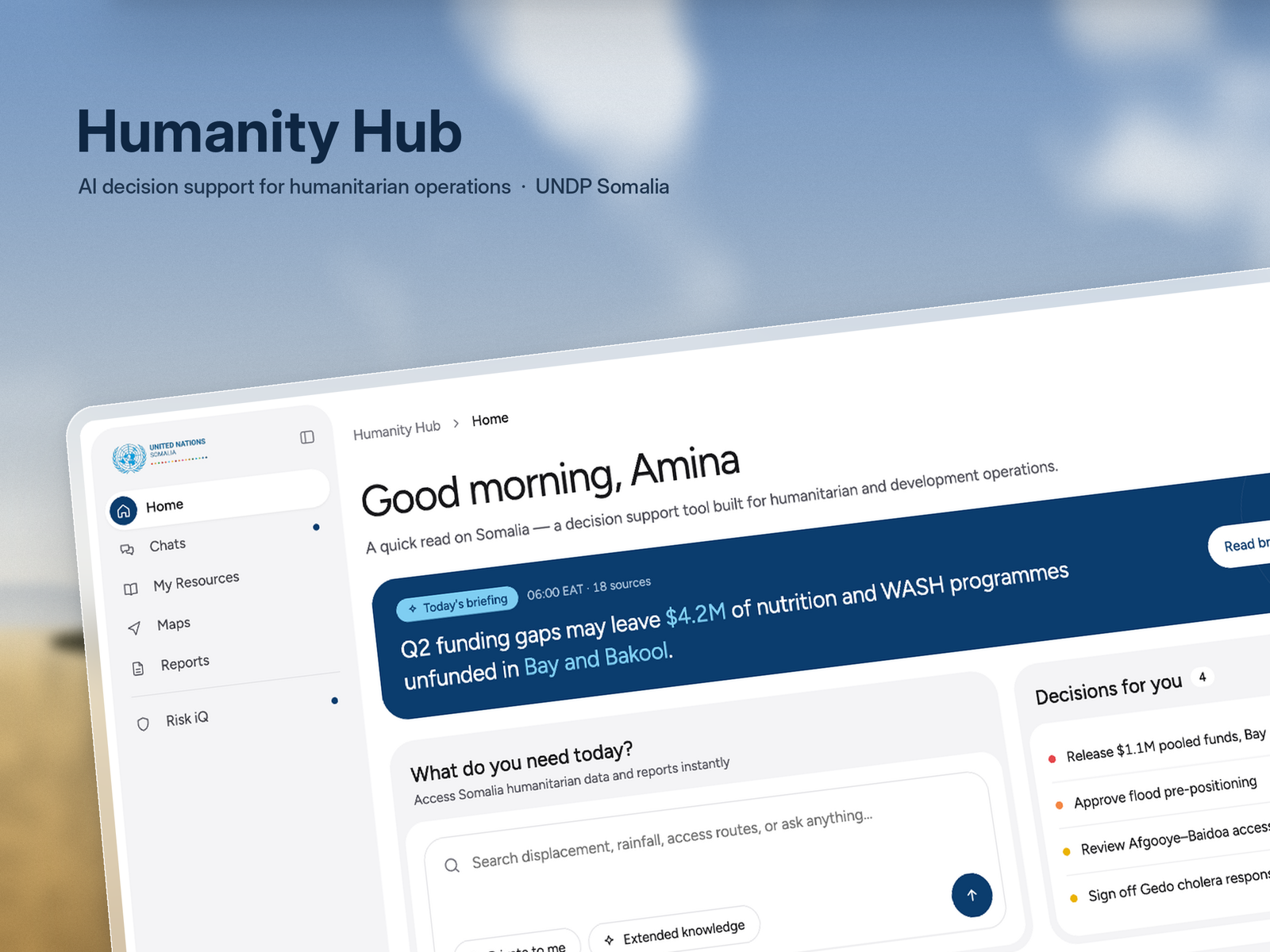
A product design case study on AI decision support for UN agencies in Somalia.
Humanitarian information is spread across agencies, systems, and reports. Teams need one place to work from, and each agency still needs the product to feel like their own.
Humanity Hub is an AI decision support platform for that. Admins can customise the UI so the same product can be shaped per agency without starting over.
I led product design end to end. There was no typical product team and we were not working in sprints, so I had to stay flexible, challenge assumptions, and prototype quickly. I also learned to ship and hand off real Next.js frontend so the interaction detail made it into production.
This interface lets users see today’s briefing, open decisions, emerging signals, and coverage so they can get oriented before they ask a question.
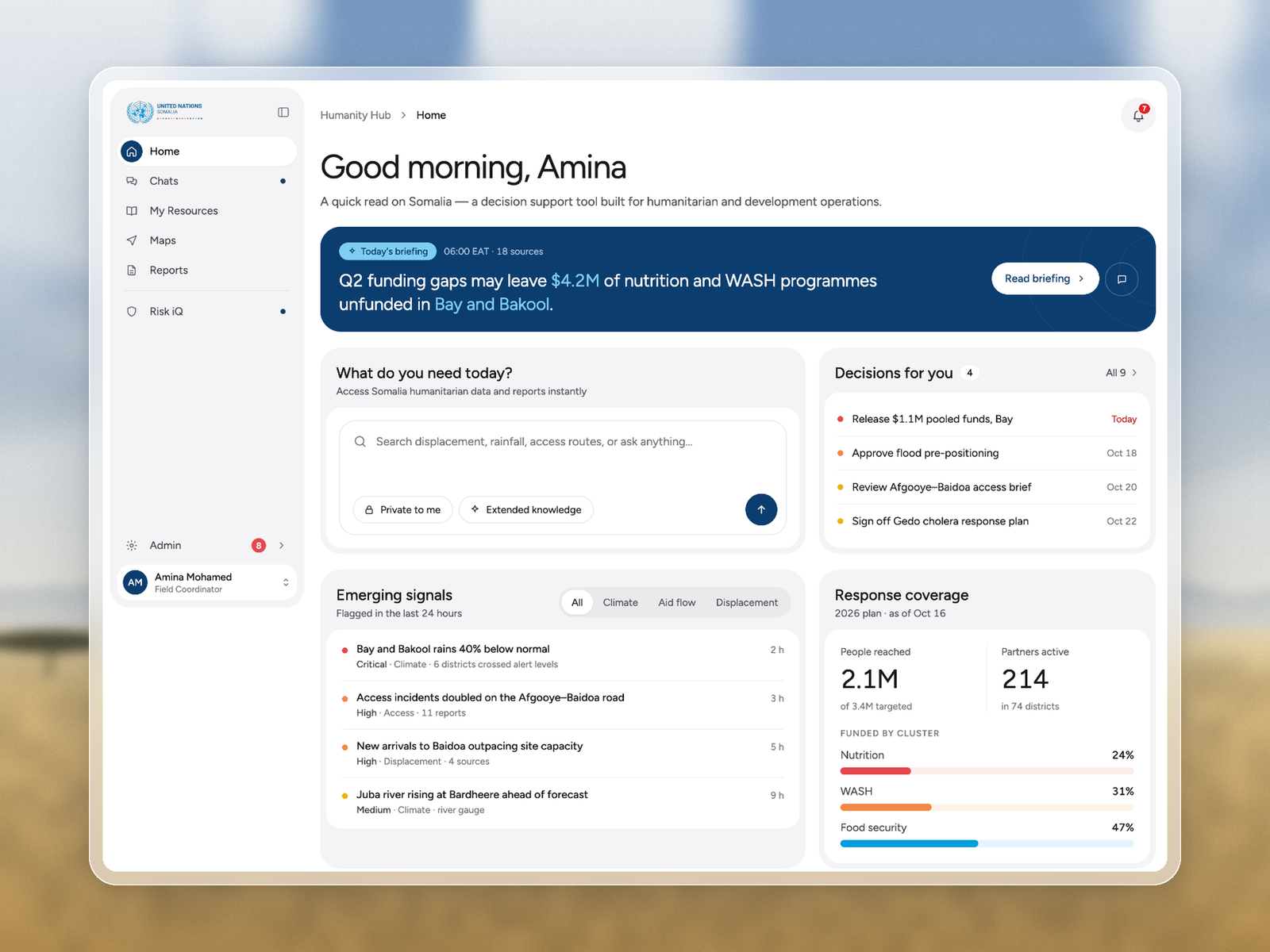
Landing view with briefing, decisions, signals, and coverage.
This interface lets users ask questions in plain language and get answers with sources, plus follow ups that help them act.
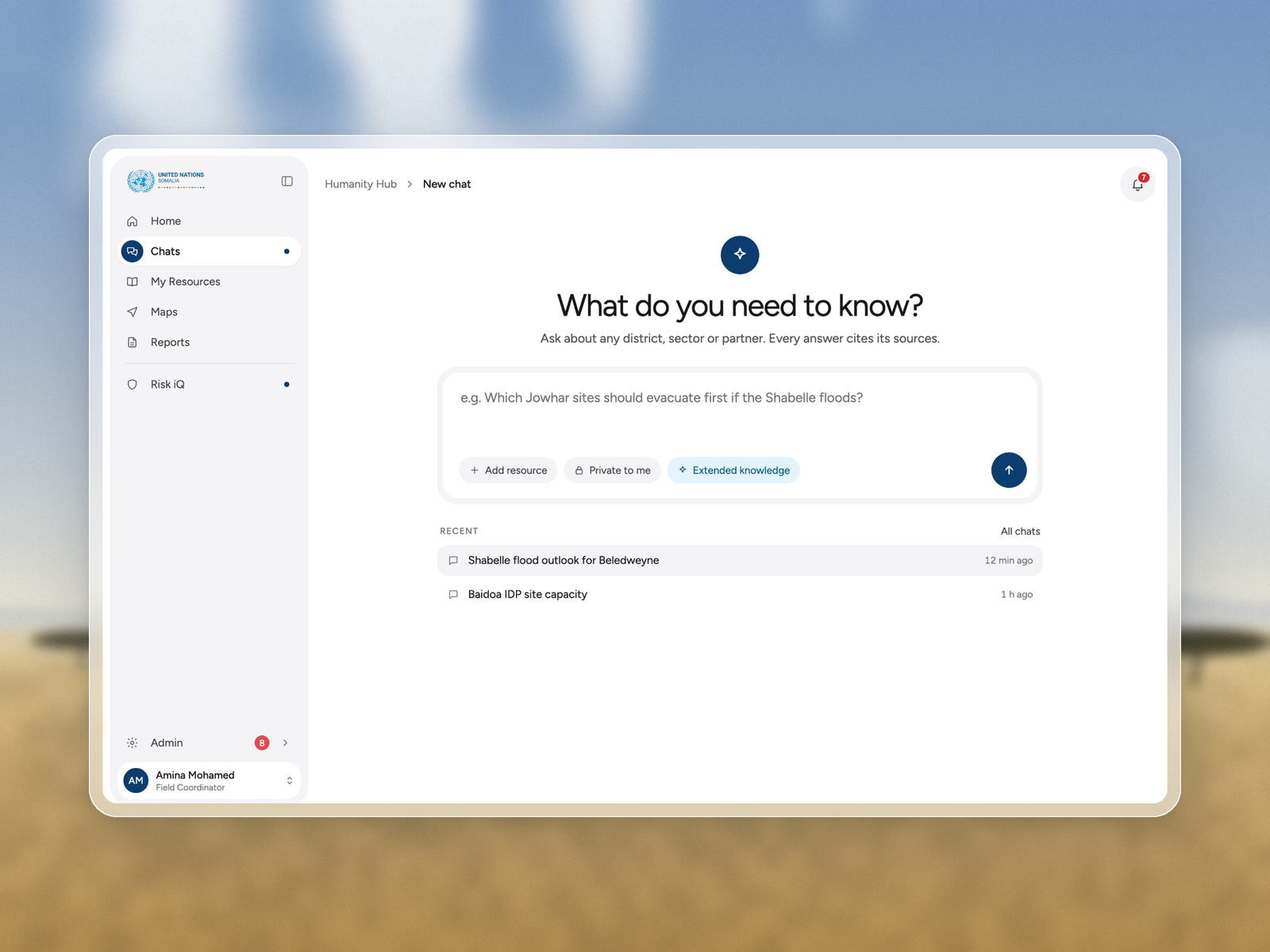
Starting point with suggested prompts.
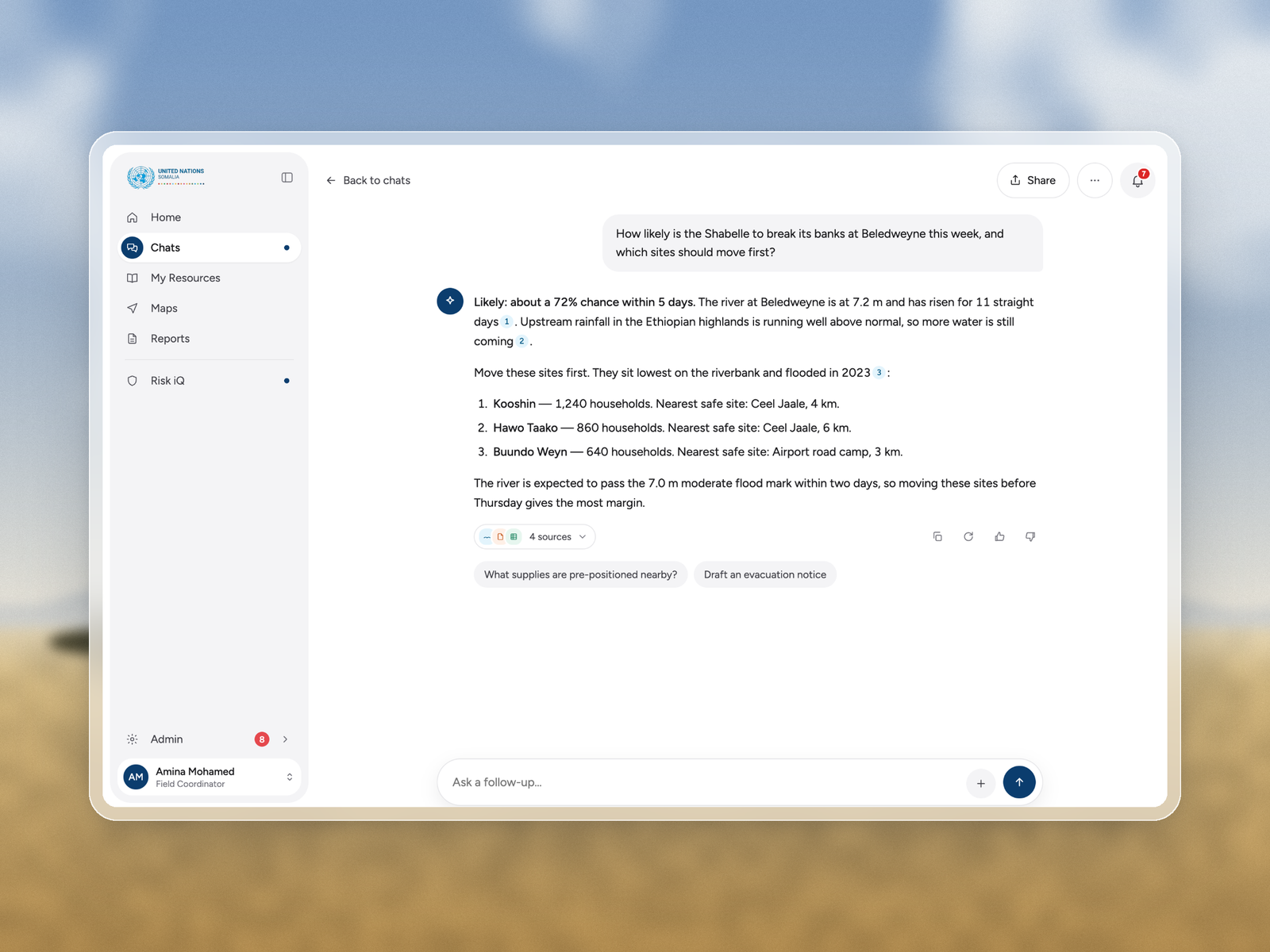
Cited response users can trust and act on.
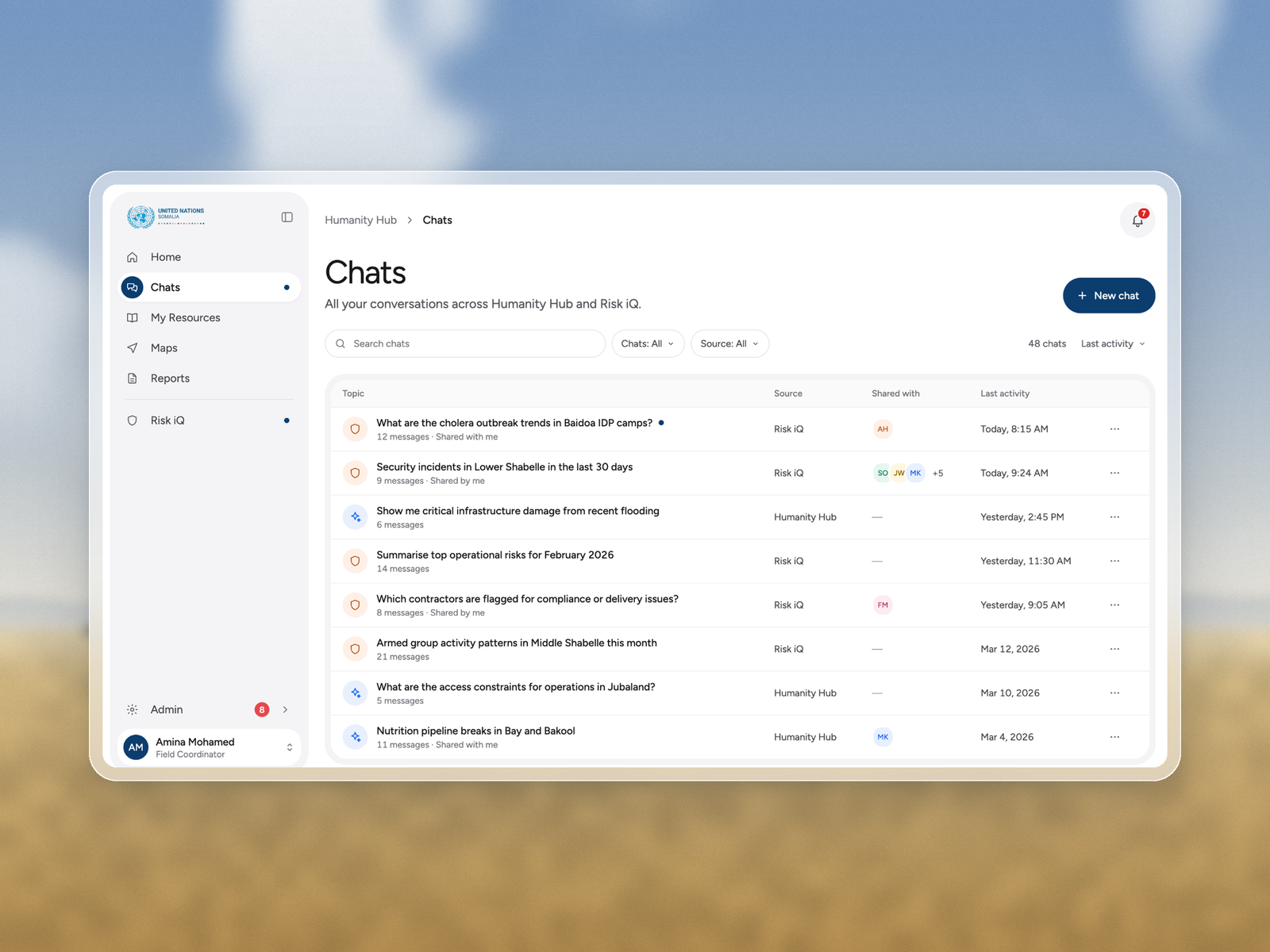
Past conversations across the product.
These interfaces let users see aid coverage on a map and review active risks, trends, and emerging threats in one place.
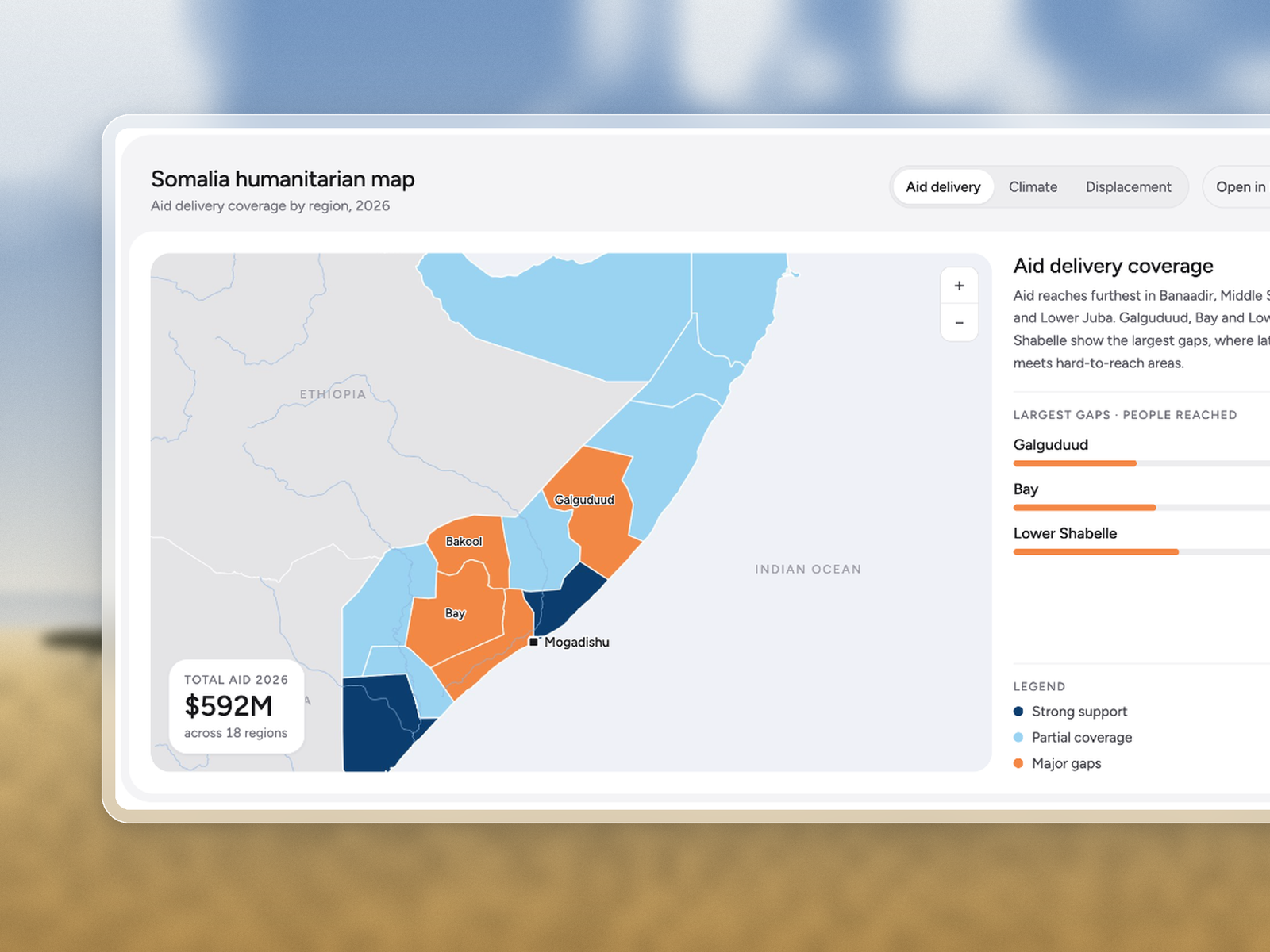
Aid coverage by region, with gaps called out.
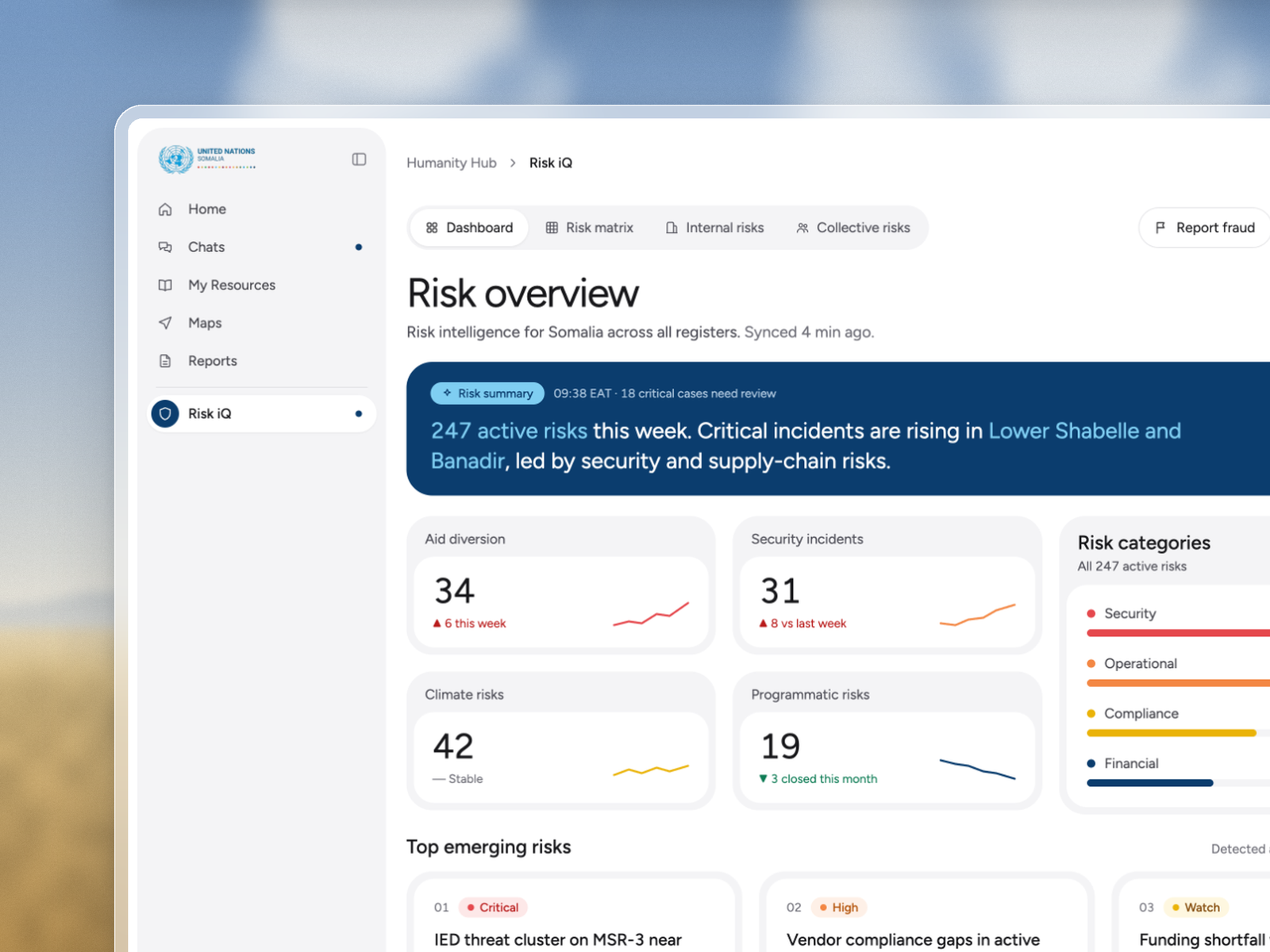
Active risks, trends, and emerging threats.
These interfaces let users manage the files the AI can use, and create or share reports with partners.
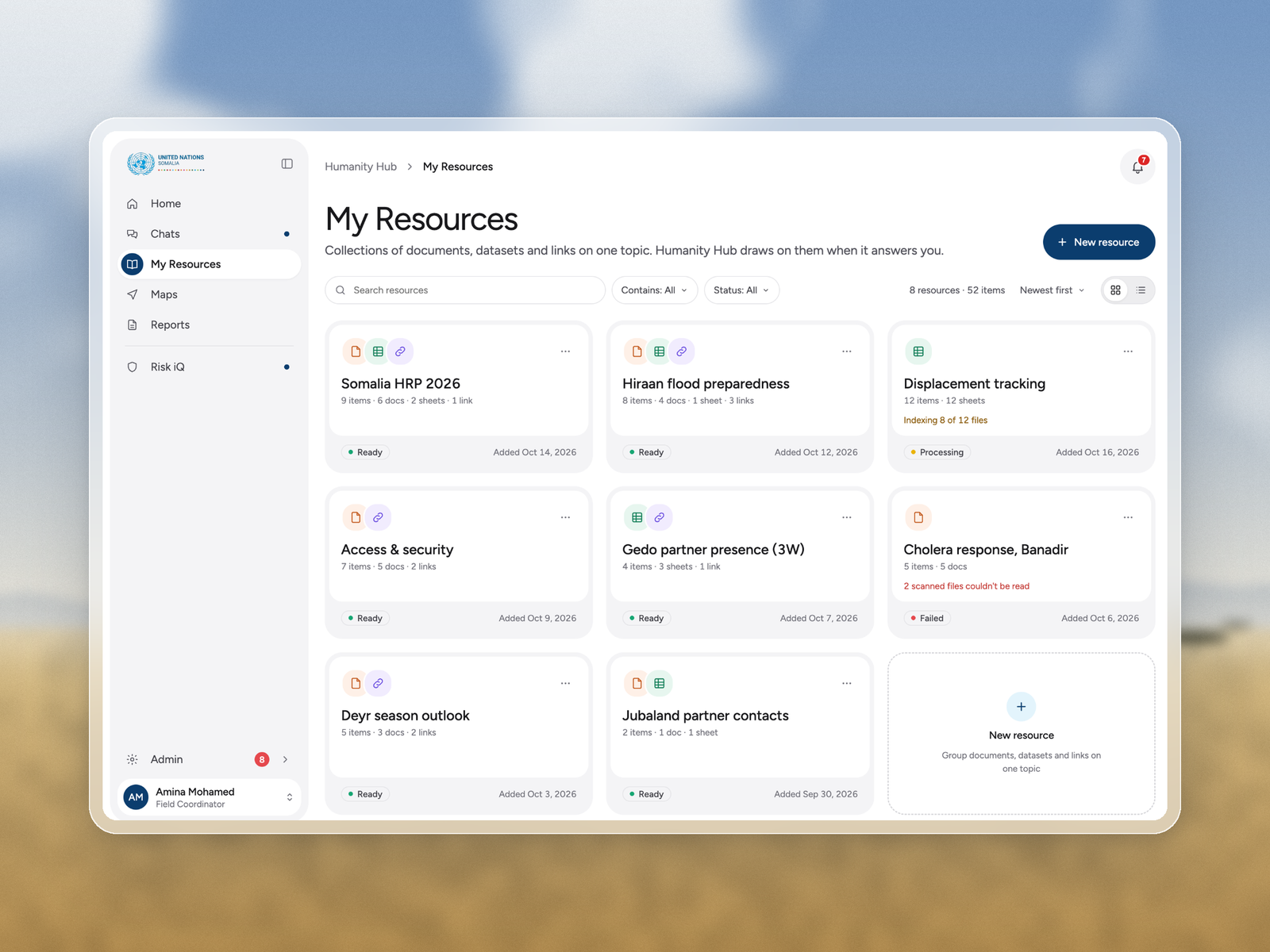
Upload states for ready, processing, and failed files.
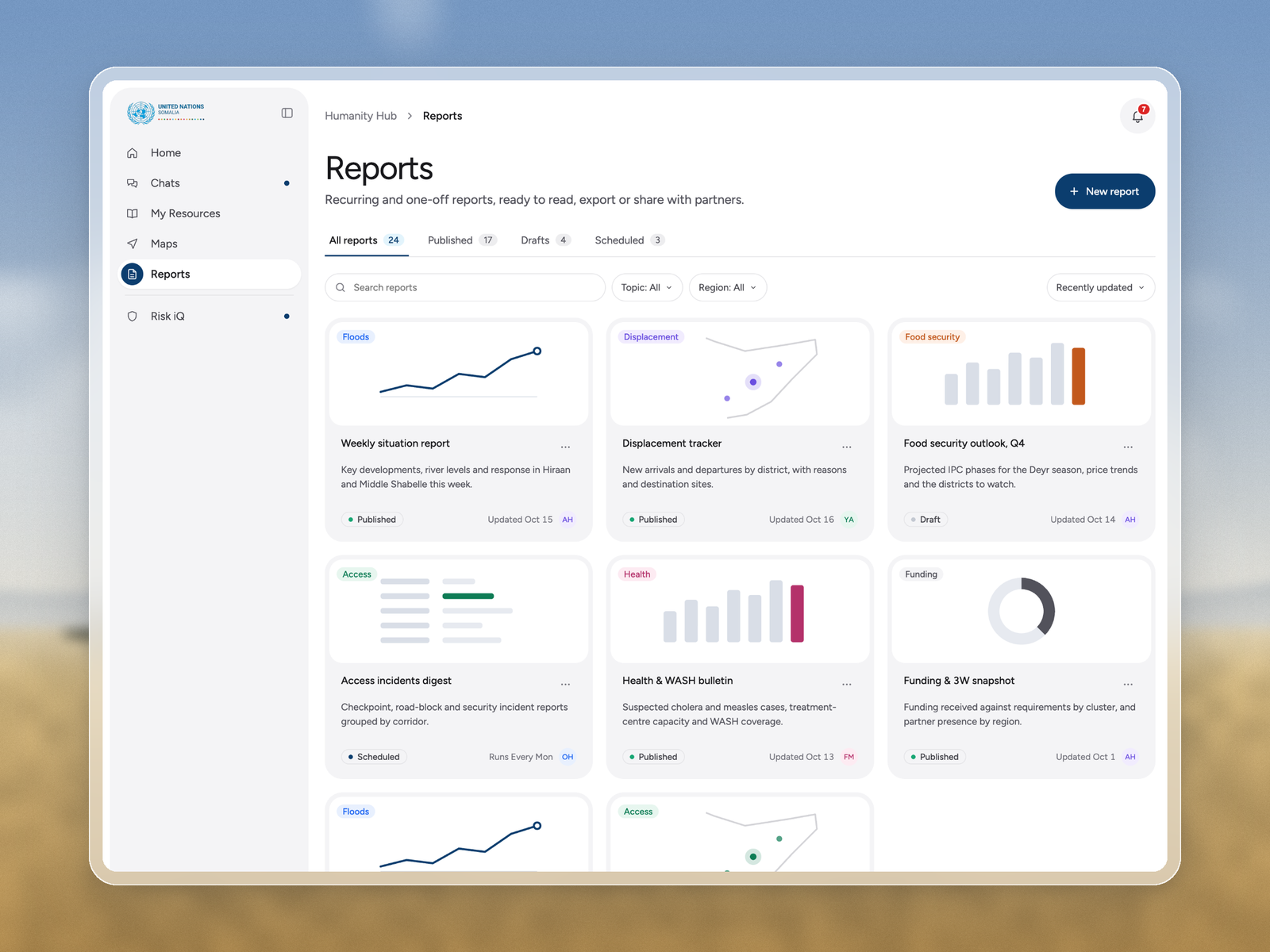
Published, draft, and scheduled briefs.
The UN did not have a typical product team, and we were not working in sprints. I had to stay flexible, challenge assumptions, and prototype quickly. I also shipped Next.js frontend myself so engineering could keep moving.
Stakeholders watched a flood question come back with sites to move first. Showing the product did more than any slide deck.
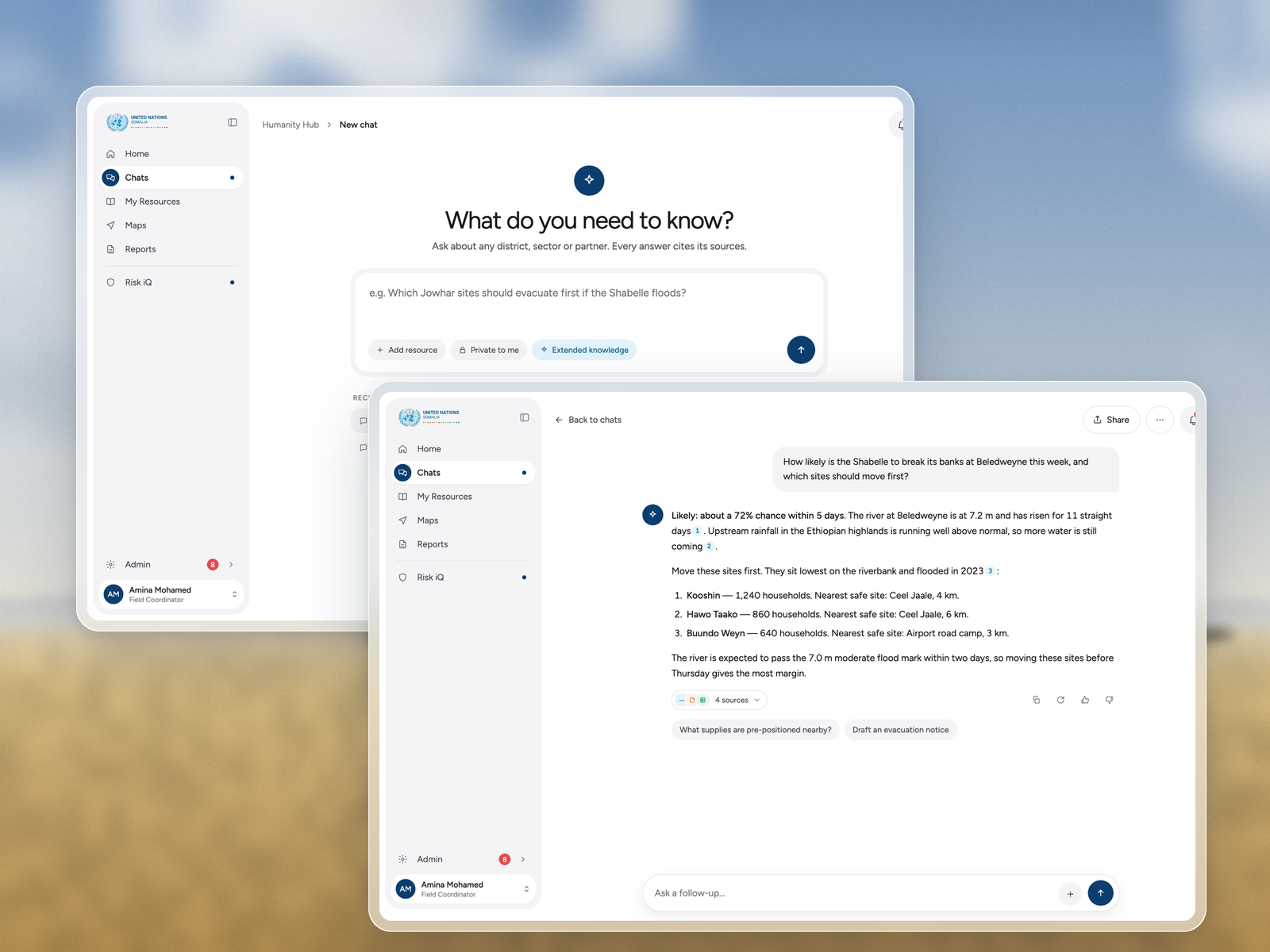
Cited intelligence that changes the conversation.
With no sprints and no classic product team, I had to build bridges on the go and stay ready to change.
Handing off real Next.js kept interaction detail intact and helped engineering move faster.
This work sits behind decisions that affect millions of people and how billions of dollars get used.